Tabsters Help Center

No results, try something else
Thank you! Your submission has been received!
Oops! Something went wrong while submitting the form.

Release Note 10.07

Check out the new features in Tabsters version 10.07 here
Roadmap – New design and new options:

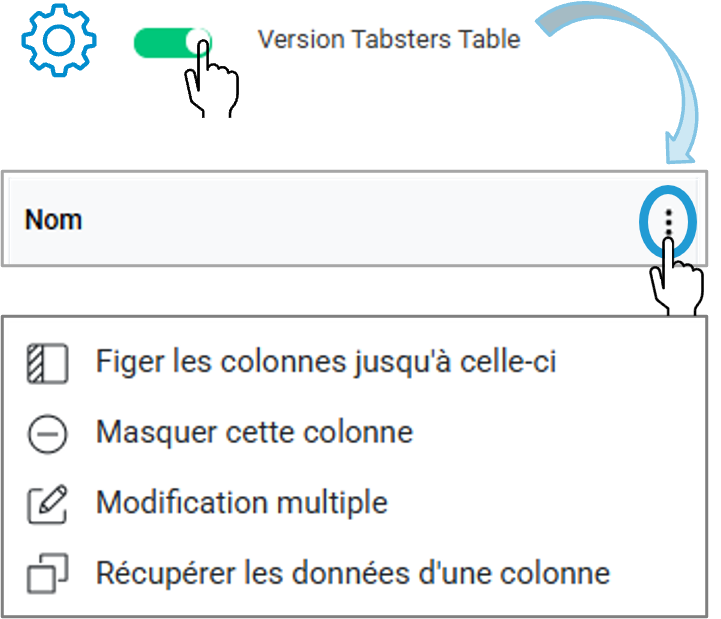
Tabsters offers an improved version of the table that's easier to read, featuring real-time highlighting and new column options

By enabling this option in the advanced settings of a Tableau view, you can switch from the classic version to the "Tabsters Table" version .

New options in the Tabsters table view, accessible from the three-dot menu in a column:

  • Freeze/Unfreeze table columns; lock the first few columns to make the table easier to read. A visual marker indicates the frozen area
  • Hide a column without using the "Column Selection" menu
  • Copy/Paste a Column; Quickly transfer data from one column to another (for example, the upcoming period to the previous period, a date to a " baseline," a column to keep...).
    • Compatibility: Columns must be of the same type or a compatible type (e.g., Text to HTML, Resource to Multi-Resource, Axis to Multi-Axis)
    • Scope: The copy applies only to visible rows , based on your current filters

Your usual options are still available (sorting, filtering, automatic column resizing, bulk editing, drag-and-drop columns, drag-and-drop rows, etc.).
Parent Dates (Roadmap) – Realignment:

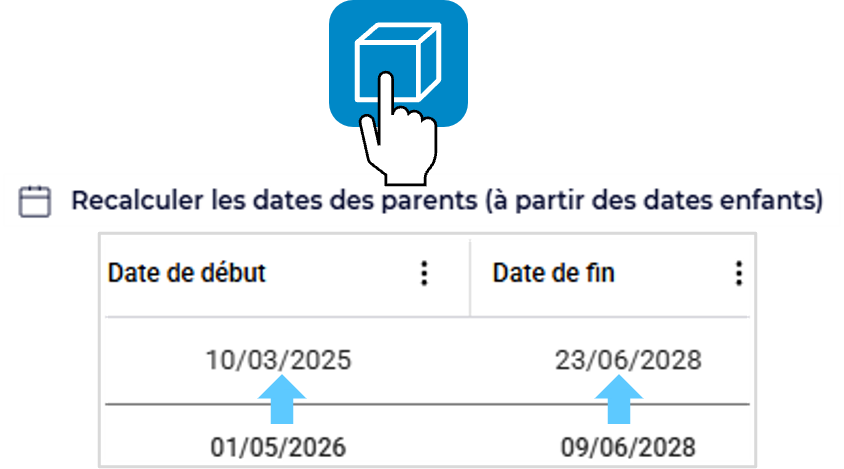
On your Roadmap, adjustments often cause date discrepancies between the underlying items and their parent items

Tabsters lets you recalculate the start and end dates of parent items based on the dates of the child items in the Roadmap.

To do this , from your Roadmap, click on the map icon showing your location and select the option " Recalculate parent dates (based on child dates)."
Creating a Project (from a Template with a Schedule) – Selecting the Start Date:

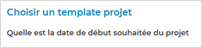
When creating a portfolio or project from a template that includes a schedule, Tabsters lets you set the desired start date:

All dates for the project (portfolio), its underlying elements, and the dates on the other tabs will be calculated based on the new start date
  • Calculation rule (for each date): The offset is applied in business days relative to the template's original start date
  • Optional selection, no date; Tabsters retains the template's schedule

Roadmap – Updates:

Building on the improvements from the previous version, several new features have been added to the Gantt views:

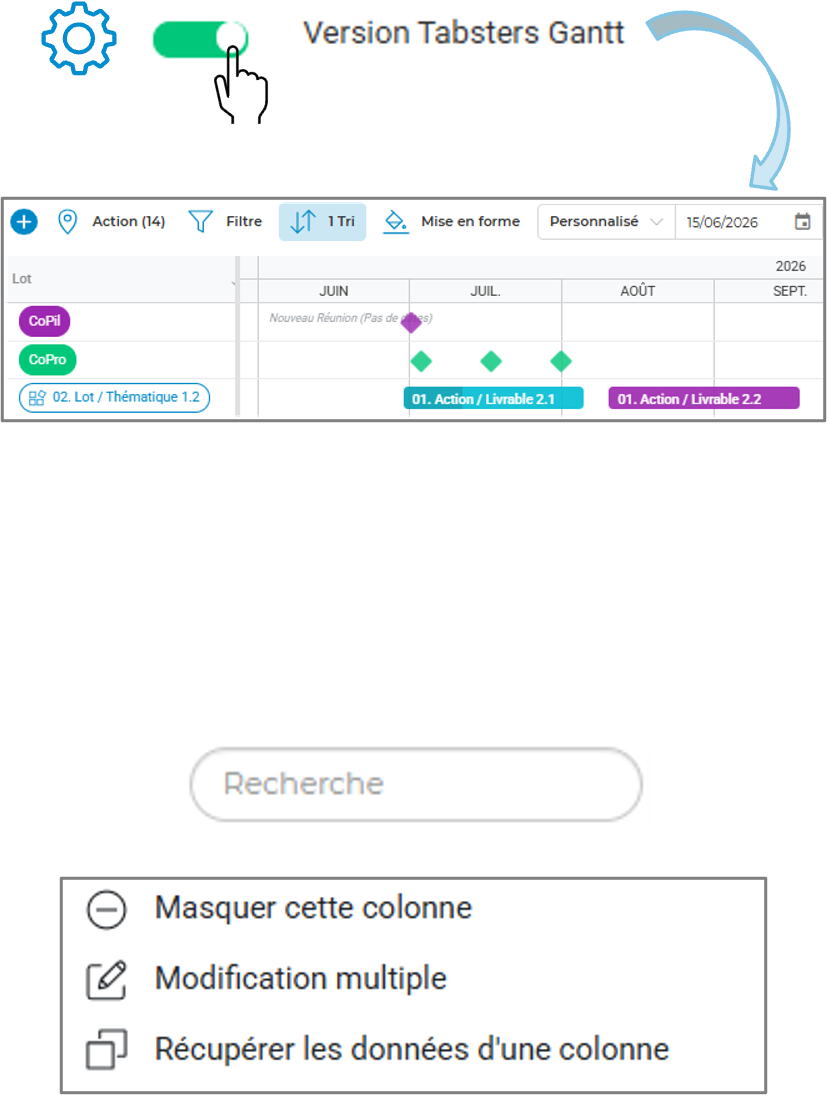
New options in the Gantt Tabsters version, accessible from the advanced settings:

  • Roadmap Display Optimization; Display Multiple Items on the Same Line
  • Optimizing Meeting Display; Displaying Multiple Meetings on a Single Line
  • Show/Hide Dependencies‍
  • The final version of the features previously in beta: line height, block height, period/milestone display mode, text position, and milestone format.

Integration into dashboards; The Tabsters Gantt version is now available in the roadmap mini-blocks on dashboards

In addition, many Tableau features have also been added to the Gantt Tabsters version:

  • Search; Adding the search bar
  • View options: “Realign References” and “Recalculate Parent Dates” are now available
  • Reorganize columns; Reorder and resize columns by dragging and dropping the headers directly / resize the headers
  • Column Options: Filter, Sort, Resize, Hide, Bulk Edit, Copy/Paste
  • Drag & Drop Rows; Reorder your items vertically using drag-and-drop

(Note (Note: The functionality in the Gantt view follows the same rules as in the table view; this functionality is not available when filters, sorting, or row collapse are enabled.)
Roadmap – Travel Assistance:

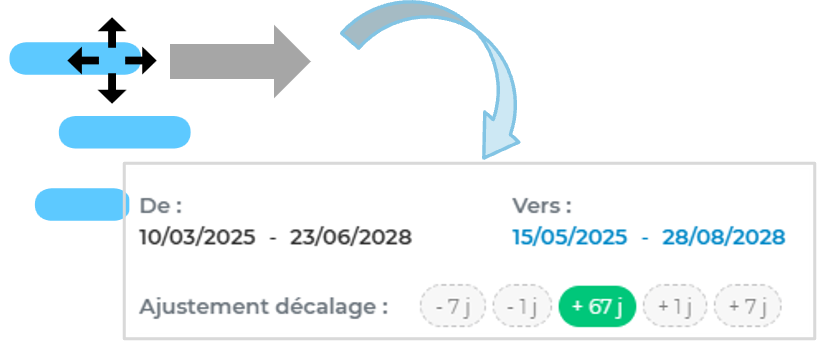
When you move items in your Gantt charts, a help window guides you in adjusting the precision of the target dates

You can choose to increase or decrease the period by +/- 1 day or +/- 7 days. As a reminder, the underlying assets are also adjusted accordingly.
Formulas (Filters and Custom Fields) – Support:

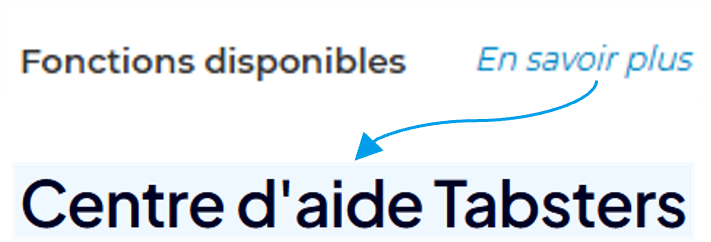
Easily find the documentation using the new "Learn More" help link.

It links directly to the Help Center article that details all the features offered by Tabsters.
Export PPT / Communication – Budget:

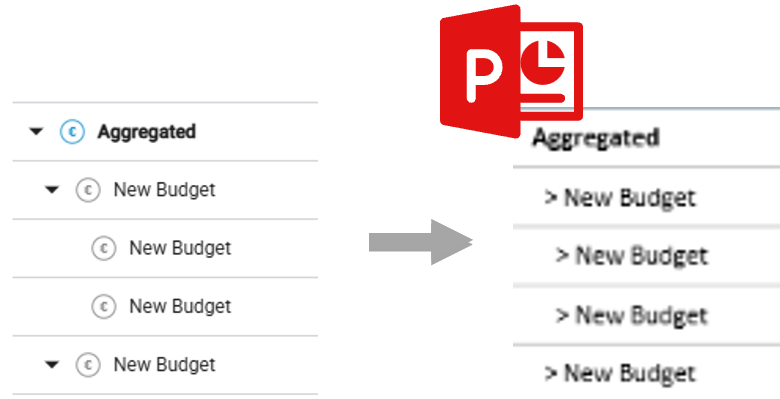
Budget presentations are becoming clearer

To make it easier to understand the budget structure when exporting to PowerPoint, indentations have been added to clearly illustrate the hierarchical levels of your budget

Miscellaneous news :

  • PPT Export / Communication – Dashboard Improvements:
    • Special attention was paid to the formatting of the PPT dashboards
      • Center elements, improve the visual appearance of text-only fields, and account for formatting
      • Revision and harmonization of tables (as a reminder, a table with a limited row height will also be displayed with a limited height in PowerPoint)
  • Batch Editing – Expanded Availability :
    • The bulk edit feature, already available in native tabs, has now been extended to all of your custom tabs (as a reminder, the edit applies only to visible rows visible, based on your current filters).
  • "Progression Over Time" Chart (Roadmap) – Selection of Curves:
    • The "Progress Trend" chart displays three curves by default: Progress (actual), Theoretical Progress (calculated linearly based on current deadlines), and Theoretical Progress [Reference] (calculated linearly based on [Reference] deadlines).
    • You can now choose which curves to include in your PowerPoint presentations : Simply click on the label in the legend to hide or show them and save your view.
  • Harmonization of Fields & Filters :
    • A comprehensive review of the list of available fields was conducted to provide a more consistent and comprehensive catalog. This review was accompanied by a few filter fixes.
  • Budget – Performance Optimization:
    • A redesign that improves performance, particularly when viewing cross-sections and consolidation levels
    • Stabilization of the load and the burned , sorted according to the selected grouping fields
  • Dashboard – Budget Section, Donut Chart Synchronization:
    • In your dashboards, the budget donut chart now aligns with the donut settings defined in the selected budget view.
      As a reminder (as with the risk matrix)
      • If your budget view displays the donut chart, then the dashboard displays only the donut chart (without the table)
      • If your budget view hides the donut chart, the dashboard displays the table
  • TJM (Resource) – Privacy:
    • Access to the "Daily Cost (TJM)"field for resources has been restricted to enhance confidentiality
    • The field is now visible and editable only by users who have edit (or administrative) permissions for theentity and who have access to cost tracking (from the Administration module).
  • New Fields (Roadmap / Workload) – Fixed Cost [Reference] & Profit [Reference] :
    • As with the “ MD ” field [Reference], two new fields have been added: “Fixed Cost [Reference]” and“Profit [Reference].”These fields allow you to retain the first value entered inthe “Fixed Cost”and“Profit”fields.These fields appear on the Roadmap tab and on the custom expense tracking tabs.
    • These fields are also available during the "Realign References"action
  • [Reference] Custom Fields – Decimal Place Management:
    • Tabsters lets you set the number of decimal places to display, using the new “ Decimals "custom fields" (My Environment)
      • Affected fields: Custom fields of the Number and Number per Period types
  • [Reference] List of Tabs:
    • Tabsters lets you customize the names of your tabs—both default and custom ones (including accents, capital letters, and spaces)—
      ‍This
      customization now applies throughout the entire solution (Home Page, Environment, Dashboard, Communication, etc.) ‍
    • This setting can only be configured manually by Tabsters. Please contact your Tabsters account manager or Tabsters support at support@tabsters.fr to have it set up.
  • Notifications – Updates :
    • The notification system has been enhanced with two new features:
      • Send to a group of users: Send notifications to a specific group (with the flexibility to update the list of recipients)
      • New notification triggered on timesheets for custom fields on resources or teams
  • PPT Export / Communication – Improvements and various fixes:
    • Various improvements and reliability enhancements related to PPT exports, for example:
      • Gantt; Improvements to the optimization settings for displaying Roadmap/Meetings lines, line size, block size, and labels
      • Row Order; Reordering the rows in exported tables and schedules  
      • Improving the reliability of budget chart display (taking advanced filters into account) and the formatting of the risk matrix
      • " burned " tabMD; Option to export only the displayed year
      • Realignment of the placement of templates and slides according to grouping axes
  • Workload/Capacity Planning and Time Tracking – Improvements and Fixes :
    • Various improvements and fixes related to timesheet entry:
      • The resource's start and end dates are taken into account when entering timesheets (entry is not possible outside these dates)
      • Correction to calculation: burned vs. holidays and alignment of % occupancy, remaining days, and % time entered across all elements (Resource & Project hierarchies)
      • Fix for year-based navigation ( burned tabMD)
      • Transferring the latest changes from "daily" timesheets to "monthly" timesheets
  • Notifications – Improvements and Fixes :
    • Various improvements and fixes related to notifications:  
      • Multilingual: The introductory phrase “Hello, ‘Resource’” has been removed from the French version regardless of the user’s language. It can be added upon request.
      • Fixes to the delivery method (email and/or notification center) for notifications triggered by due dates
Have you found your answer?
Thank you, your opinion counts!
Oops! Something went wrong while submitting the form.
Table (Roadmap) – New design and new options:Parent Dates (Roadmap) – Realignment:Project Creation (from a Template with a schedule) – Selecting the Start Date:Schedule (Roadmap) – Changes:Schedule (Roadmap) – Move Assistance:Formulas (Filters and Custom Fields) – Help:PPT Export / Communication – Budget:Various New Features:

Can't find what you're looking for?

Don't worry, you can contact us at support@tabsters.fr specifying the nature of your request. Our agents will get back to you as soon as possible.
Contact us